Mouse over to zoom

YW500 600W Portable Power Station Outdoor RV/Van Camping Urgent Solar Generator Solar Mobile Lithium Battery Pack

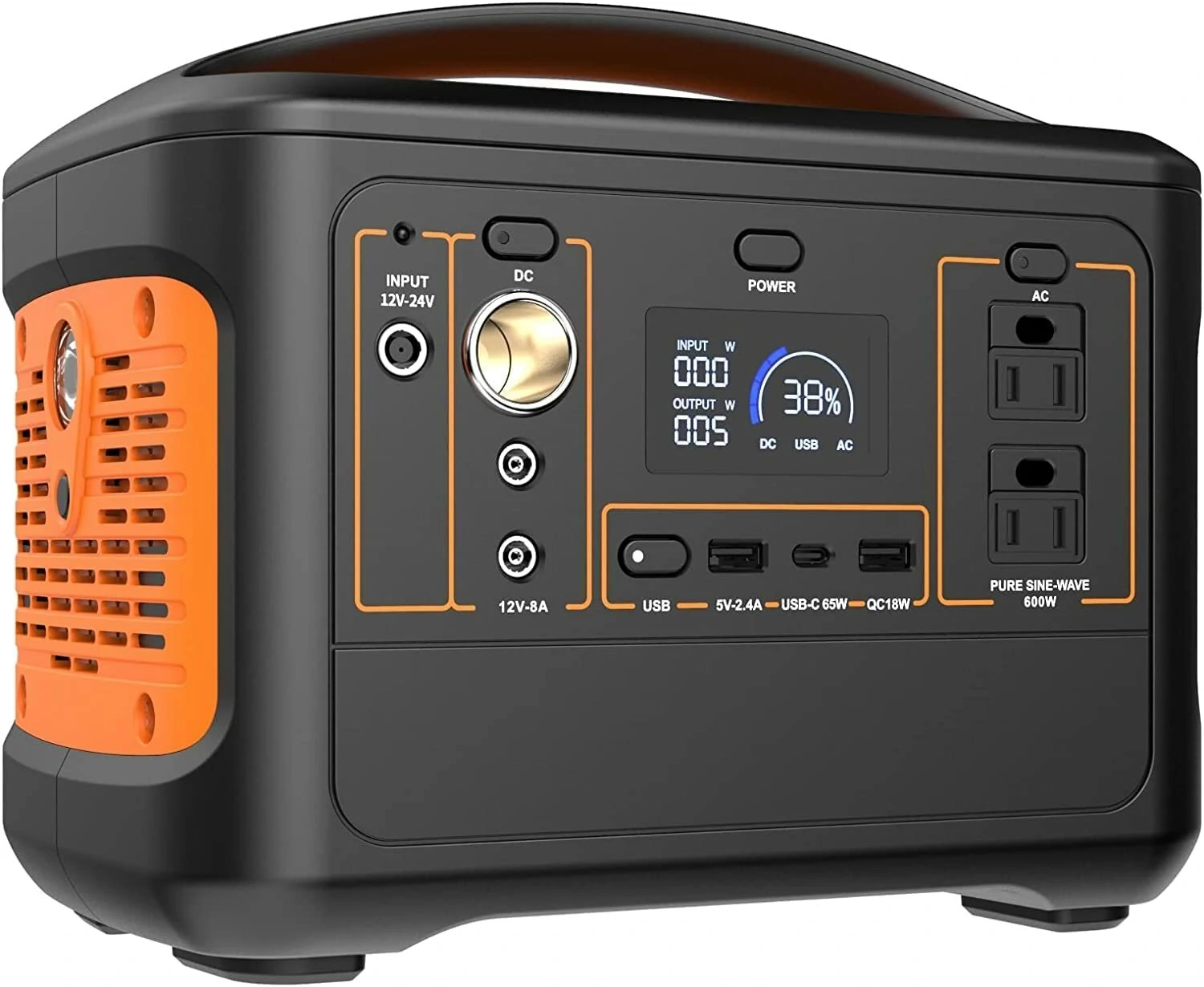
Description 1 High temperature protection When the temperature is greater than or equal to 75 °C the machine will start the automatic protection and prohibit input and output When the temperature is less than 75°C it will return to normal 2 Power on off key Please click the power key to tum off the power 3 When the indi cation of DC USB and AC lights up it means that the output port has been tumed on and the corresponding equipment can be powered 4 When not using the power output port please press 1 2 7 11 or power key to turn off the power to save power 5 At low temperature the battery capacity of the product may be affected The product can be charged in the temperature range of 0 40 degrees and the equipment can be powered in the temperature range of 10 degrees to 40 degrees 6 For the first time it is recommended to fully charge the battery to avoid the inconvenience caused by insufficient power 7 AC output port only supports equipment within 600W and equipment larger than 600W does not supply power The product cannot be charged 1 The connection line between the equipment and the product is not plugged in properly2 The output port switch is not turned on3 Low power consumption4 There is no output after eliminating according to 1 2 3 above Make the equipment well connected with the productTurn on the port output switch and the indicator light will be on Charging the product If the product is broken contact the after sales department

Banggood

From INR28,309.19

By INR28,276.22

Description: Description 1 High temperature protection When the temperature is greater than or equal to 75 °C the machine will start the automatic protection and prohibit input and output When the temperature is less than 75°C it will return to normal 2 Power on off key Please click the power key to tum off the power 3 When the indi cation of DC USB and AC lights up it means that the output port has been tumed on and the corresponding equipment can be powered 4 When not using the power output port please press 1 2 7 11 or power key to turn off the power to save power 5 At low temperature the battery capacity of the product may be affected The product can be charged in the temperature range of 0 40 degrees and the equipment can be powered in the temperature range of 10 degrees to 40 degrees 6 For the first time it is recommended to fully charge the battery to avoid the inconvenience caused by insufficient power 7 AC output port only supports equipment within 600W and equipment larger than 600W does not supply power The product cannot be charged 1 The connection line between the equipment and the product is not plugged in properly2 The output port switch is not turned on3 Low power consumption4 There is no output after eliminating according to 1 2 3 above Make the equipment well connected with the productTurn on the port output switch and the indicator light will be on Charging the product If the product is broken contact the after sales department

0

5 stars

0

4 stars

0

3 stars

0

2 stars

0

1 star

0

Total number of votes

Leave your rating

Do you want to get Offers and discounts via-email?

Sign up now and keep up with our news

Customer - Terms and conditions Customer - Privacy policy

Incredible prices

Here you will find the best offers on the internet in thousands of products.

Security

It's not necessary to give any confidential information. We redirect you to the offering website.

Trust

We work daily to ensure new offers with real discounts.